Top 5 MD-Staff Alternatives Worth Considering in 2026 [Ranked]

MD-Staff is a popular name in the credentialing industry. But many organizations are now finding that MD-Staff’s older, “hosted” design, slow setup, and manual processes make it hard to keep up with demand for fast onboarding and real-time automation.
If your team needs faster turnaround times, modern automation, and clearer visibility, then it’s a good time to compare stronger alternatives.
Before we look at the best options, here is how we evaluated them.
How we evaluated the alternatives (2026 buyer criteria)
In evaluating MD-Staff alternatives, we compared each platform across eight core dimensions that directly affect operational performance and return on investment.
These criteria align with how health systems, MSOs, and growing group practices now measure value: by accuracy, speed, and long-term compliance sustainability.
What is MD-Staff?
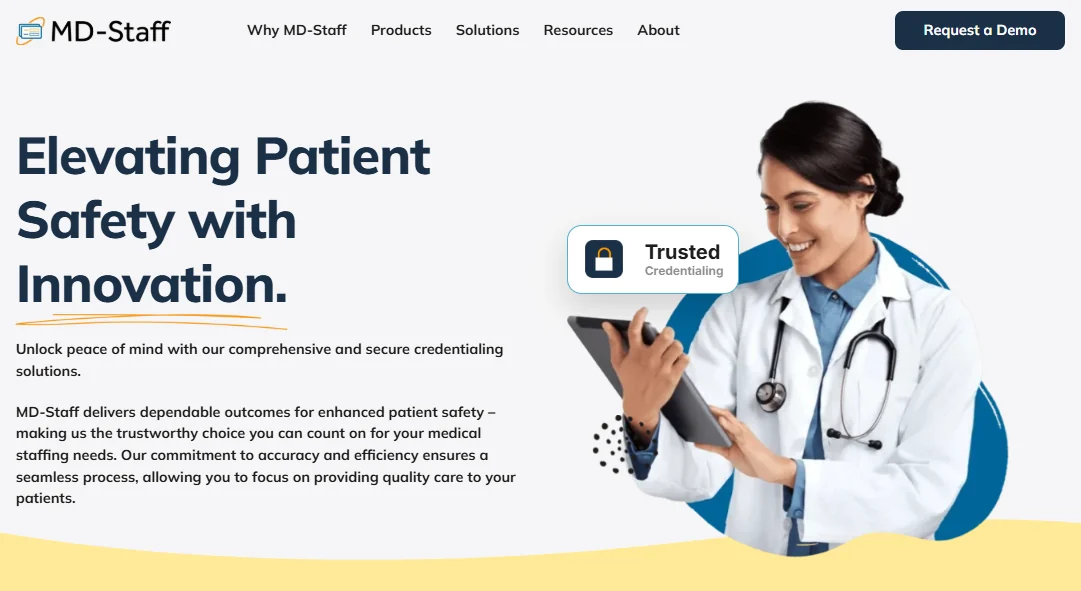
MD-Staff is a cloud-based credentialing and provider management platform built by Applied Statistics & Management (ASM).
The platform is designed to help healthcare organizations streamline credentialing, privileging, enrollment, and peer review, all while maintaining compliance and reducing manual work.
The platform is modular, meaning you can pick and choose the solutions that fit your organization’s needs.
Best for: Large hospitals, health systems, and credentialing offices looking for a traditional enterprise solution with a long track record in medical staff management
MD-Staff has strengths, some of which include:
- Very deep privileging tools
- Long history with hospitals
- Wide module selection
- Strong compliance features
- Recognized brand
But modern healthcare needs more than privilege management. Teams need automation, speed, real-time tools, and a modern architecture.
This is where MD-Staff falls behind.
Limitations of MD-Staff
MD-Staff has been in business for more than 40 years. It was built for the era of credentialing, when:
- Providers practiced in one hospital
- Privileging was the main priority
- Data lived inside the hospital walls
- Enrollment was not automated
- Most work happened on-premises
- Speed did not affect revenue the way it does today
This legacy shows in its architecture, its modules, and how it handles workflows.
MD-Staff remains excellent for privileging-heavy hospital workflows, but is less optimized for fast, multi-payer onboarding at scale.
Now, healthcare teams are switching to a modern system that offers automation, integrations, compliance, speed, licensing tools, visibility, and ease of use.
Automation
Modern credentialing teams cannot rely on manual PSV, manual CAQH checks, manual document review, or manual workflows.
True automation should catch errors before the form is submitted, verify information directly from the source, and push updates forward without someone needing to track them in spreadsheets.
MD-Staff has automation, but it is based on older technologies: crawlers, scripts, and OCR. These do not predict errors or support large, multi-payer enrollment.
Integrations
Credentialing data must flow into EHR systems, HR platforms, scheduling systems, provider directories, and revenue cycle tools. But MD-Staff still relies heavily on outdated HL7 v2 messages and controlled, closed APIs that require custom projects. These integrations are slow to build and costly to maintain.
Modern systems use open APIs, real-time data sync, and quick connections.
Compliance & trust
Most systems meet basic NCQA and SOC 2 requirements. The difference today is whether the system also helps prepare for audits automatically or forces teams to gather data by hand. MD-Staff stores data well, but does not streamline audits or ongoing monitoring the way newer systems do.
Speed and accuracy
MD-Staff can handle credentialing, but its design forces teams through slower steps and gives them fewer error checks before submission. This slows onboarding and increases the risk of payer rejections, directly delaying revenue.
Modern systems now support credentialing that finishes in days, not months.
Licensing
Licensing workflows are cumbersome for telehealth and large groups. MD-Staff supports these, but the workflows feel more like checklists than true automation.
Visibility
Executives want live dashboards showing exactly where every provider stands, both for credentialing and payer enrollment. MD-Staff’s dashboards show statuses, but they don’t reveal why something is stuck or how long it will take.
Ease of use and training burden
Many organizations rely on a single fully trained “MD-Staff expert” because the system is complex for new staff to learn. MD-Staff even sells a certification exam. But with the credentialing rate in 2025, requiring certification to use software suggests the product is too complex for everyday use.
Pricing and cost over time
MD-Staff often includes:
- $49,000+ implementation fees
- Separate licensing and maintenance fees
- Paid add-on modules
- Paid API access
- Ongoing Citrix and server costs
- Long training cycles
- Slower timelines that delay revenue
Modern platforms reduce or eliminate these costs entirely.
Technical architecture
MD-Staff is built on a hosted architecture that requires access via Citrix, RDP, or VPN. This means slow performance, costly upgrades, and a higher IT workload. True cloud platforms do not need these.
AI maturity
MD-Staff markets AI, but behind the scenes, it uses basic automation scripts (RPA). These tools do not learn, predict, or understand context.
Modern AI systems can read documents, detect errors, summarize profiles, predict payer delays, and correct mismatched dates.
In summary, if you need faster turnarounds, stronger compliance tools, or a more collaborative support experience, exploring MD-Staff alternatives can help you find a platform that aligns better with your goals.
So, let’s take a look at some of these alternatives.
The 5 best MD-Staff alternatives
1. Assured (the best alternative for MD-Staff)
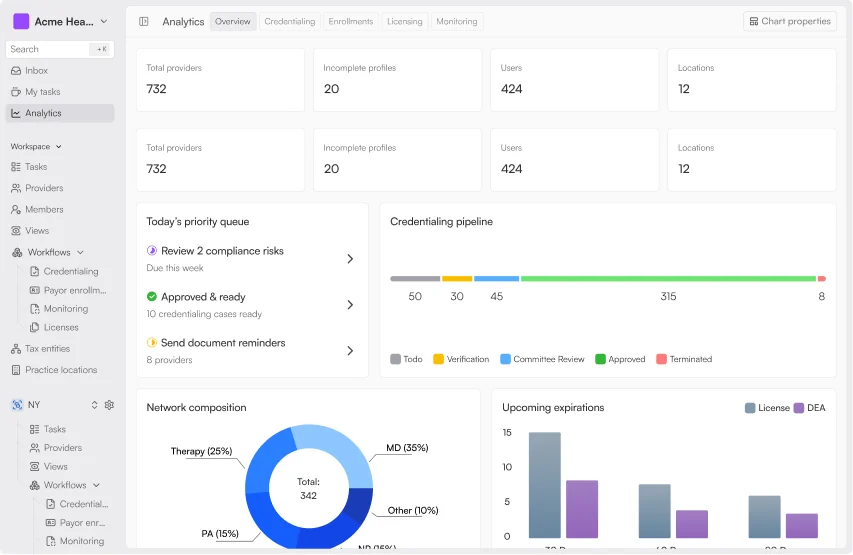
Assured is a provider network management platform that streamlines provider credentialing, licensing, payer enrollment, and network management.
The platform is designed for healthcare organizations that want to reduce administrative burdens and accelerate provider onboarding. Unlike traditional systems, Assured combines AI automation with expert support to deliver efficient and compliant solutions.
- Best for: Organizations seeking an end-to-end, AI-driven platform covering licensing, credentialing, payer enrollment, and continuous monitoring
- Standout Automations: Assured applies AI to remove manual challenges at every stage. It automatically validates provider data against 2000+ sources, including NPPES, CAQH, DEA, and state boards, catching inconsistencies before submission. Credentialing and enrollment run in parallel, reducing approval times from months to days/weeks
- Integrations: Native connectors for CAQH ProView, PECOS, Medicare/Medicaid, and EHR platforms. Data flows seamlessly between systems without re-entry. Admins track status in real-time across licensing, credentialing, and payer workflows in a single dashboard
- Compliance & Trust: NCQA-certified CVO, SOC 2 hosting, and AES-256 encryption for data at rest. Assured’s privacy framework and audit logging meet HITRUST and HIPAA standards, ensuring transparency in every verification
Pricing: Custom pricing based on organizational needs and scale. Only available upon request. However, you can book a free demo here.
Why Assured: Feature comparison
While MD-Staff grew through decades of add-ons and patchwork modules, Assured was built from scratch in the era of automation. That means its design choices were made for a world that values:
- Faster hiring
- Faster credentialing
- Faster enrollment
- Faster revenue
- Fewer errors
- Fewer manual tasks
- Fewer IT hurdles
Feature gap #1: Cloud-native architecture
MD-Staff still depends on hosting methods like Citrix and Remote Desktop to achieve a cloud environment. This creates daily friction for users. Every time staff need to log in, they must go through a virtual desktop, deal with slow load times, or wait for IT to fix a frozen session.
Behind the scenes, hospitals have to maintain servers, VPN connections, firewall rules, and scheduled downtime for upgrades. This is not true cloud, it’s the old on-premise system moved to a hosted server. And because of this, MD-Staff becomes slow, hard to scale, and expensive to maintain.
Assured takes the opposite approach. It was built as a true cloud-native platform from day one, with no Citrix, RDP, servers, or installers. If you can open a browser, you can open Assured.
The system loads instantly, works from any device, updates with zero downtime, and requires absolutely no IT involvement. When Assured releases a new feature, every customer gets it the same day.
There are no “upgrade weekends,” no version mismatches, and no interruptions. This architecture alone removes most of the hidden friction healthcare teams have been dealing with for years.
Because Assured runs on a modern multi-tenant cloud, it scales automatically as organizations grow. If you add 10 new providers or 5,000, the system handles the load without requiring new servers or environments. This delivers a level of speed, consistency, and reliability that hosted legacy systems simply cannot match.
Operational Impact:
- Removes all server, Citrix, and VPN-related downtime
- Dramatically reduces IT workload (often >80%)
- Eliminates upgrade costs and maintenance windows
- Supports instant scaling as provider volume grows
Feature gap #2: AI-powered lapse
MD-Staff markets itself as “AI-powered,” but its automation relies on simple web crawlers and basic OCR scripts. These tools scrape information from websites, but they break whenever a state board updates its layout.
Because the system cannot understand context, it cannot tell whether a license date is mismatched, whether a work history has gaps, or whether a form is missing a critical document. Staff must still spend hours manually double-checking information, which slows credentialing and leads to payer rejections.
Assured uses real AI predictive, generative, and semantic to eliminate the manual checking that slows MD-Staff users down. Assured reads entire documents, compares every data point to authoritative sources, and detects inconsistencies within seconds.
It can detect when a malpractice date doesn’t align with a CV. It can spot a gap in a CAQH profile before the provider ever submits the form. It can even summarize documents, extract critical details, and automatically complete form fields with verified information.
Because Assured’s AI understands documents rather than simply scanning for keywords, it dramatically reduces human error and accelerates credentialing timelines.
Operational Impact:
- Reduces data mismatches and form errors by over 50%
- Prevents silent verification failures caused by web layout changes
- Cuts manual review time from hours to minutes
- Ensures constantly updated, verified provider profiles
Feature gap #3: Automated payer enrollment
MD-Staff handles privileging well, but its payer enrollment tools are limited and heavily manual. Enrollment teams often track deadlines in spreadsheets, log into multiple payer portals one at a time, and rely on email reminders to stay organized.
The platform’s “checklists” tell staff what to do, but they don’t do the work. As a result, providers may be fully credentialed but still unable to bill because payer enrollment is stuck, delayed, or missing key documents. This creates what your intelligence report calls the “Revenue Latency Gap,” where organizations lose weeks or months of billable time.
Assured closes this gap completely. Instead of relying on spreadsheets, Assured automates the entire enrollment workflow. It submits applications to all payers in parallel, automatically keeps CAQH profiles up to date, tracks every requirement for each payer, and shows clear, step-by-step progress across all active enrollments.
Assured even predicts which payers are likely to request additional documents and prepares teams in advance. The result is faster enrollment, fewer denials, and providers going in-network sooner.
By treating enrollment as a revenue workflow, not a paperwork task, Assured gives revenue cycle leaders absolute ownership and real visibility.
Operational Impact:
- Shortens enrollment timelines by 30%
- Eliminates missed CAQH re-attestation deadlines
- Prevents thousands in monthly lost revenue per provider
- Removes the need for spreadsheet-based enrollment tracking
Feature gap #4: Pre-submission error detection
MD-Staff follows the old “submit first, fix later” workflow. Teams fill out credentialing or enrollment forms and send them to payers without a deep, automated validation step. As a result, payers frequently reject submissions due to missing documents, mismatched dates, incomplete work history, or CAQH inconsistencies. Each rejection causes days or weeks of delay, and delays the provider’s ability to bill.
Assured flips this entirely. Before a single form is submitted, its AI engine scans every field and compares it to more than 2,000 primary sources, including state boards, NPPES, DEA, and CAQH. It catches errors instantly: incomplete training dates, mismatched license numbers, outdated documents, expired malpractice coverage, and more. Automated PSV runs in parallel, verifying information while forms are still being prepared.
Because errors are fixed before submission, payers approve applications faster, reducing rework and dramatically shortening timelines.
Operational Impact:
- Customers often see ~95% first-pass approvals
- Shrinks credentialing time from 45–60 days to as fast as 48 hours
- Cuts error-related rework by half
- Let's providers bill 20 days sooner, often adding $50K–$150K per clinician
Feature gap #5: Real-time visibility
MD-Staff’s dashboards show basic statuses like “Submitted” or “Pending,” but they rarely explain why something is delayed or what step is stuck. This forces managers to constantly ask their teams for updates, leading to more emails, more manual checks, and more frustration. Enrollment teams often create separate spreadsheets just to keep track of what MD-Staff cannot display clearly.
Assured fixes this by giving everyone complete, real-time visibility into every provider and every workflow. Every verification, every pending step, every payer requirement, every expiration deadline, all displayed clearly in a single, unified timeline. Managers see precisely what is happening without asking for updates. Providers stay informed through automated notifications. Leaders get accurate projections about onboarding dates and revenue timelines.
With Assured, there are no blind spots, no hidden steps, or surprises.
Operational Impact:
- Removes the need for update emails and “status meetings”
- Gives leadership accurate timelines for hiring and revenue planning
- Provides proactive alerts 60–90 days before expirations
- Helps teams prioritize tasks immediately
Feature gap #6: Dedicated human support (Not a ticket queue)
MD-Staff uses the traditional enterprise support model: generic ticketing queues where every issue lands with a different support agent. Responses can take days, and teams often need to re-explain the same problem to multiple people. During busy onboarding periods, such as large telehealth expansions or seasonal hiring, this slows everything down.
Assured replaces this with true partnership. Every organization is assigned a single dedicated credentialing specialist who knows their providers, their workflows, their payers, and their historical patterns. This specialist communicates weekly, handles escalations personally, and acts as an extension of the team. Instead of waiting on random support agents, clients work with someone who already understands their needs.
This removes the friction and delays caused by MD-Staff’s support model, making the overall experience smoother, faster, and more predictable.
Operational Impact:
- Cuts issue resolution time by 3–4 days
- Eliminates repetitive support conversations
- Gives users a familiar, consistent point of contact
- Builds trust and reduces workflow anxiety
Feature gap #7: Continuous monitoring across 2,000+ sources
MD-Staff offers exclusion monitoring, but much of it depends on older tools that break whenever a website changes layout. Many teams still maintain their own spreadsheets or calendars to track license expirations, DEA renewals, or board certifications because they don’t trust the system to catch everything.
Assured monitors more than 2,000 primary sources continuously and uses AI to interpret changes instantly. When a provider’s license status changes, a new sanction is issued, a DEA expiration approaches, or CAQH needs to be updated, Assured alerts the team immediately. In many cases, the system can even initiate updates on its own.
This prevents surprises, helps organizations stay compliant, and dramatically reduces the burden of manual monitoring.
Operational Impact:
- Prevents lapses that can cause unbillable days
- Eliminates spreadsheet-driven compliance tracking
- Protects delegated status with accurate rosters
- Saves teams 20–30 hours per month
Feature gap #8: Fast Implementation and zero technical overhead
MD-Staff implementations frequently take months because teams must configure servers, set up Citrix environments, manage RDP connections, test firewall rules, and coordinate with IT. Even after go-live, upgrades require scheduled downtime and additional technical planning.
Assured implementations are measured in days. There are no servers to install, no environments to configure, no VPNs to open, and no upgrades to plan. Teams begin onboarding providers as soon as their data is imported, and Assured guides them through each workflow with in-app instructions.
This makes it easy for organizations to adopt Assured even during periods of growth, without slowing down operations.
Operational Impact:
- Goes live in weeks instead of months
- Reduces IT involvement to near zero
- Eliminates implementation fees and upgrade costs
- Let's credentialing teams see value immediately
Assured vs. MD-Staff: Full comparison table
2. Modio Health
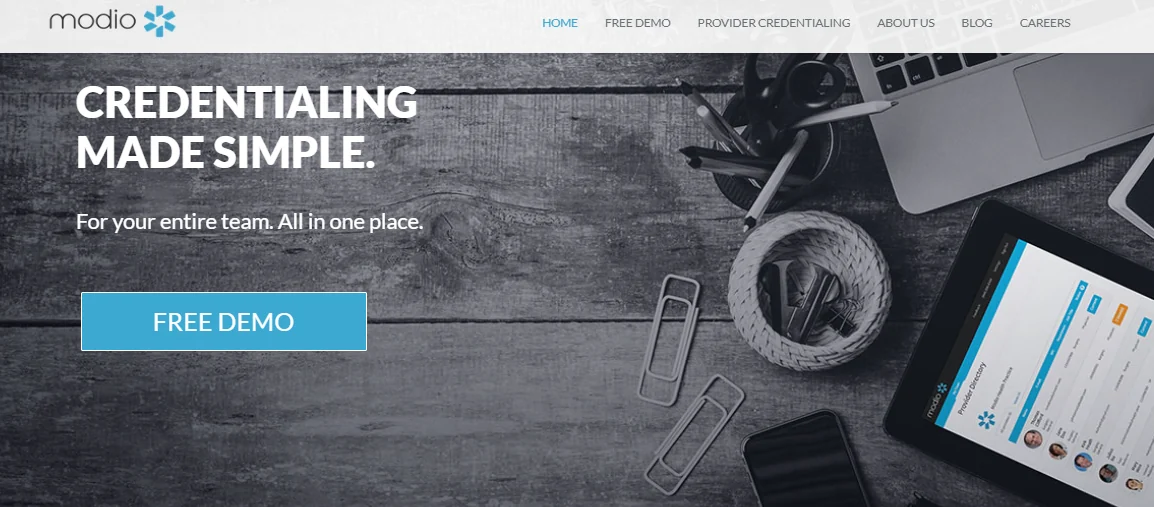
Modio Health is a cloud-based credentialing and license management platform built specifically for healthcare organizations. Their core product, OneView, brings all your provider data (licenses, certifications, renewals, verifications, and compliance requirements) into one secure, centralized dashboard.
If you’re running a small private practice or managing a multi-state health system, Modio can help you track it all in real time and stay ahead of expirations, renewals, and compliance deadlines.
- Best for: Organizations needing a reliable, cloud-based credentialing platform for multi-state medical groups
- Standout Automations: “Modio OneView” centralizes provider data and credentials into a single profile. Automated license renewal reminders and document storage keep teams organized and audit-ready
- Integrations: Supports CAQH ProView sync and third-party data imports. Some EHR integrations require API middleware configuration
- Compliance & Trust: Data secured with SOC 2 compliant hosting. Good reputation for data accuracy and storage controls, though PSV automations remain limited to certain credential types
Pros
- Users compliment the intuitive design that makes it easy for staff to navigate and adopt the platform
- Users report a wide range of features addressing various aspects of credentialing and compliance
- Suitable for organizations of various sizes, from small practices to large health systems
- Users say the platform improves coordination between administrative staff and providers through centralized information access
Cons
- Reports suggest that the platform may have constraints when integrating with specific third-party systems or electronic health records
- While they offer custom workflows, there are still limitations in tailoring certain features to highly specific organizational needs
Pricing: Custom pricing based on organizational needs and scale. Only available upon request, but a free demo is available.
3. ClinicMind
ClinicMind is a platform that offers an integrated solution for managing credentialing, billing, EHR, and compliance.
Designed with flexibility in mind, the platform tools cater to a wide range of healthcare practices, from mental health clinics and chiropractic offices to multi-site organizations.
- Best for: Practices seeking credentialing plus revenue cycle integration
- Standout Automations: Combines practice management, billing, and credentialing tools. Automated claims validation streamlines revenue post-enrollment
- Integrations: Built-in EHR and billing modules mean less need for external interfaces. However, it’s not as flexible for organizations using third-party RCM software
- Compliance & Trust: HIPAA-compliant infrastructure with role-based permissions. Manual PSV steps may extend turnaround times for large provider groups
Pros of ClinicMind
- Users report that the platform offers customizable templates, macros, and task sets customized to specific specialties and workflows
- Users report that the platform provides secure, cloud-based access to patient information from any location with internet connectivity
- The platform features the CredEdge mobile app for streamlined physician credentialing processes
Cons of ClinicMind
- Some users have reported that the platform can be complicated to use, particularly for smaller practices, and that support resources may be confusing
- Some users have noted that customer support can be slow to respond and resolve issues
- The platform does not seamlessly integrate with other essential healthcare software, leading to potential workflow disruptions
Pricing: Custom pricing based on organizational needs and scale. Only available upon request.
4. ProCareRCM
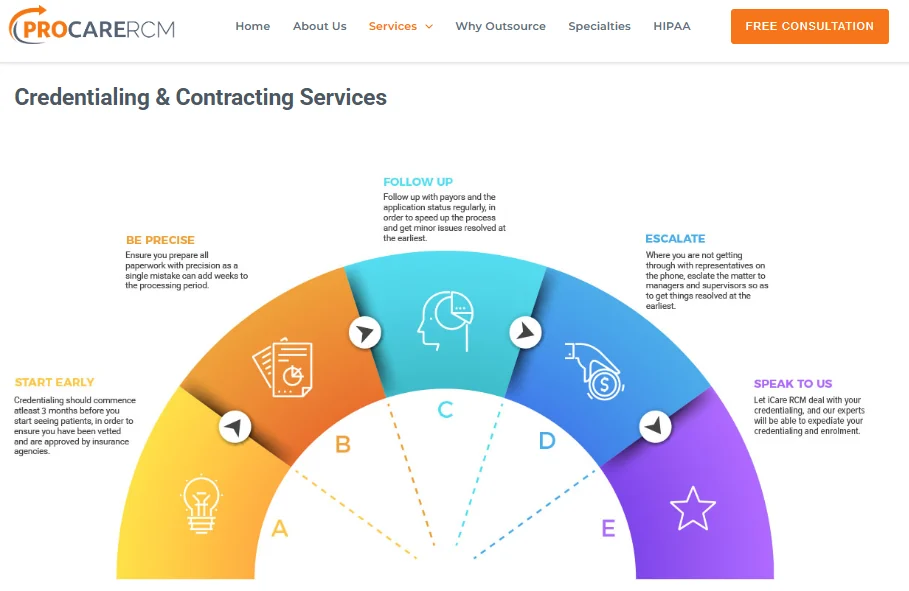
ProCareRCM is a healthcare revenue cycle management company that offers a comprehensive suite of services designed to streamline administrative processes for healthcare providers. Their services include credentialing, contracting, medical billing, coding, and telehealth support.
- Best for: Healthcare practices seeking credentialing tightly aligned with billing and payer contract management
- Standout Automations: Strong at tracking payer applications and renewals with workflow notifications. However, much of the credentialing remains semi-manual and spreadsheet-driven
- Integrations: Integrates cleanly with ProCare’s billing and contract modules. Limited external API connectivity
- Compliance & Trust: Maintains HIPAA and CMS standards but lacks NCQA CVO certification
Pros of ProCareRCM
- Users report that the platform offers a wide range of services beyond credentialing, including billing, coding, and telehealth support
- The platform aims for quick turnaround times in credentialing and billing processes
- Users report that the platform provides 24/7/365 support to address client needs promptly
Cons of ProCareRCM
- It does not offer the same level of customization as some specialized credentialing software platforms
- Although suitable for many practices, users suggest that the larger organizations might require more comprehensive solutions customized to complex structures
Pricing: Custom pricing based on organizational needs and scale. Only available upon request.
5. QGenda
QGenda is a healthcare-specific workforce management platform that unifies credentialing, scheduling, on-call management, time and attendance, clinical capacity management, and workforce analytics into a single system.
- Best for: Health systems focusing on provider scheduling and credentialing within a single ecosystem
- Standout Automations: Integrates credentialing with provider scheduling and time management. Automated reminders for expiring licenses and certifications tie directly to scheduling eligibility
- Integrations: Comprehensive EHR and HR system connectivity through APIs. CAQH and PECOS integrations available upon request
- Compliance & Trust: SOC 2 certified and well-established in hospital environments. Audit logs and role-based access reinforce compliance
Pros of QGenda
- Users say the platform automates primary source verifications and ongoing monitoring, ensuring provider records stay current, minimizing compliance risks
- Users suggest that the platform combine multiple workforce management solutions into a single system, thereby reducing the need for different tools
- The platform provides advanced automations and configurable workflows that streamline processes, allowing staff to manage credentialing for more providers in less time
Cons of QGenda
- Users may need training to use the platform's capabilities fully
- The extensive functionality may come with higher costs compared to more specialized solutions
- Users complain that comprehensive features may require significant time and resources to implement effectively
Pricing: Custom pricing based on organizational needs and scale. Only available upon request.
Choosing the right MD-Staff alternative
When it comes to choosing the right credentialing solution, it’s not just about comparing feature lists or checking off boxes. It’s about finding a platform that fits your organization’s specific needs, one that works with your existing workflows, supports your growth, and helps your team get things done efficiently.
If you’re exploring alternatives to MD-Staff, here are a few important questions to ask yourself:
1. How much hands-on support do we need?
Some platforms are more self-service, giving you the tools but expecting your team to drive the process. Others offer more dedicated support, such as a credentialing partner in your corner, task management, and guidance through the complexities.
2. What’s our growth plan?
Are you expanding into new states? Scaling a multi-specialty provider network? You’ll want a solution that can handle increased complexity without slowing down your onboarding and operations.
3. How important is compliance to you?
If your organization needs to meet strict standards such as NCQA, URAC, or The Joint Commission, make sure the platform includes strong compliance features, including automated monitoring, real-time alerts, and robust audit reporting.
4. Will it play nicely with our existing systems?
Look for a platform that integrates well with your EHR, HRIS, billing, and other tools.
5. What’s the real cost?
Consider the time and effort needed for setup, the learning curve for your team, and how much hands-on work will still fall on your plate.
When you weigh all these factors, Assured stands out as the alternative that checks the right boxes, especially for growing healthcare teams. With Assured, you get dedicated support, faster credentialing timelines, and clear, consistent communication, so you can focus on what really matters: delivering quality care.
The Assured advantage: ROI comparison
Below are other ways Assured compares to MD-Staff and other credentialing platforms.
Take the next step
While MD-Staff is a well-established option, alternatives such as Assured, QGenda, ProCareRCM, ClinicMind, and Modio Health offer distinct strengths that might better align with your goals.
Each of these platforms can help your team streamline credentialing, stay compliant, and onboard providers more efficiently, but the best solution is the one that fits your workflows.
The key is to find a partner, not just a platform.
So, what’s your next step?
Start by taking a close look at your current credentialing pain points. What’s slowing you down? What’s falling through the cracks? Then, explore these alternatives, schedule demos, and ask the hard questions.
How long does it take to transition from MD-Staff to Assured?
Can Assured handle multi-state credentialing?
Can I integrate these alternatives with my existing HR or EMR system?
Do I need an in-house team to manage these platforms?

Assured Health, Inc.
333 Seventh Ave, Suite 1701
New York, NY 10001