
We Reviewed The 6 Best QGenda Alternatives Worth Considering in 2026

Quick Summary
QGenda is a healthcare workforce platform built around physician and clinical staff scheduling. Credentialing, time tracking, and capacity management are available as add-on modules.
Buyers usually look elsewhere for one of two reasons. Either the scheduling itself does not flex enough for complex specialty coverage, or credentialing and payer enrollment need a dedicated platform rather than a bolt-on. This guide breaks down the six strongest alternatives, what each one does well, and where each one falls short.
Why Listen to Us
Assured is an AI-native credentialing and payer enrollment platform built for enterprise health systems like Houston Methodist, multi-entity provider groups operating across many states, and growth-stage digital health organizations. We credential providers within 48 hours, compared with an industry standard of 60 to 120 days.
About 95% of the applications we submit go through on the first try. Our CVO is NCQA-certified across all 11 verification elements. Credentialing, licensing, payer enrollment, and continuous monitoring all run on a single platform with a single data model.
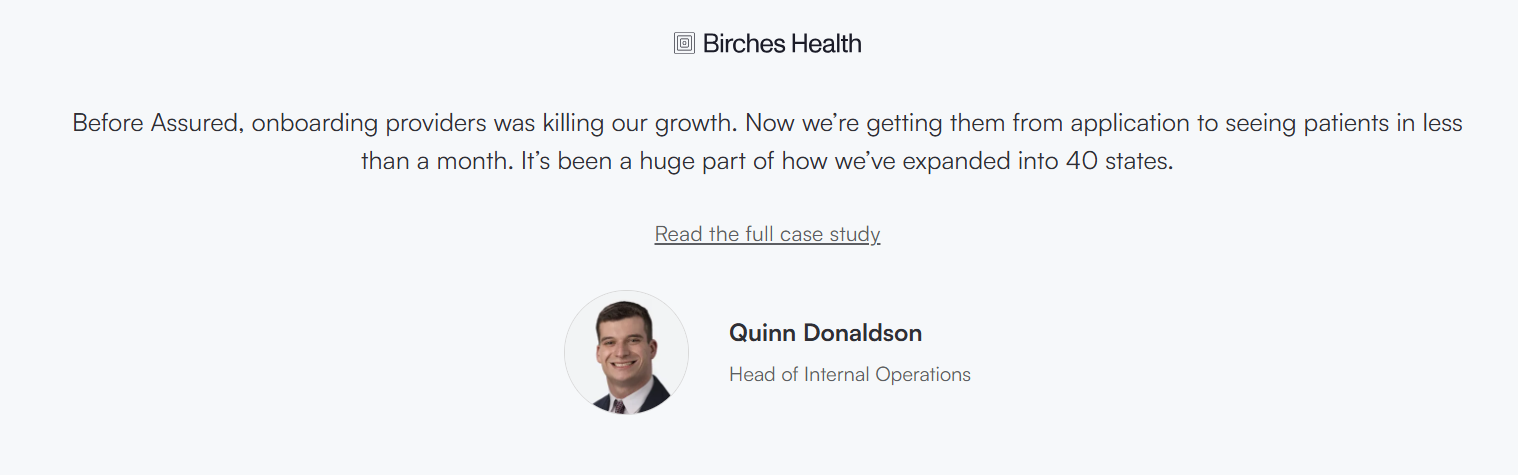
How Tono Health Scaled Nationwide Telehealth by Fixing Provider Credentialing
What Is QGenda?
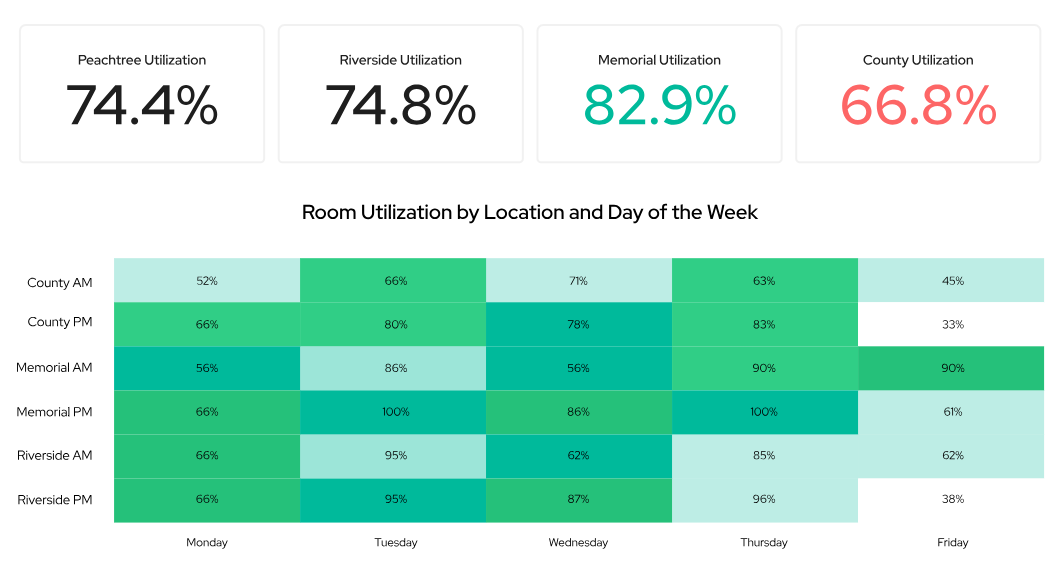
Serving over 4,500 organizations, QGenda operates as a cloud-based healthcare workforce platform centered on automated, rules-based scheduling for physicians and clinical staff. While scheduling serves as the system's core foundation, organizations can expand its capabilities through add-on modules for credentialing, time tracking, capacity management, and room utilization. It is a solid choice for teams seeking a scheduling-first architecture and who prefer to consolidate additional workforce tools under a single vendor.
Key Features
- Provider scheduling: Auto-generated schedules using rule-based logic for physicians, residents, and clinical staff.
- On-call management: Enterprise-wide visibility into who's on call, with built-in mobile access and shift trading.
- Workforce analytics: Reports covering provider supply, demand, and utilization, with filters by department or location.
- Credentialing module: In-platform credential tracking and provider onboarding workflows.
- Room and capacity management: Centralized visibility into provider and exam room utilization across locations.
Pros
- Enterprise-level scheduling through auto-generation
- Quick response and support from the service team
- Straightforward setup and implementation
Cons
- No way to swap a full week's pattern in one go
- Interface isn't intuitive even for technical users
- The mobile app works, but not built for day-to-day use
If scheduling is your primary need and credentialing is secondary, QGenda works. If you need both to run at full strength, you'll likely need something else.
Why Look for a QGenda Alternative?
QGenda is the market leader for many organizations because the core product does the job. But market leadership does not mean the right fit for everyone. The friction points below show up consistently across user reviews.
Auto-generated schedules often require manual cleanup
QGenda's engine uses rule-based heuristics rather than full optimization. That approach works for simple rotations but breaks down on complex specialty coverage. Radiology, cardiology, and hospitalist groups with multi-tier rules regularly report editing the generated output by hand, which defeats the purpose of automation.

Support shifted from dedicated reps to a pooled help desk
QGenda replaced dedicated account managers with a shared support queue. If you relied on someone who knew your setup, that context is gone now, and response times have slowed down.

Rule changes require vendor intervention
The rule-configuration backend is not exposed to customers. New scheduling logic, edits, and troubleshooting all flow through support tickets, which adds days of latency for changes that other platforms expose as self-service.

EHR and payroll integration depth has limits
KLAS commentary cites integration friction with Epic, Cerner, and major payroll systems. Schedule changes that should propagate in real time sometimes lag, creating gaps between the schedule, EHR, and timecard.

Credentialing module lags behind dedicated credentialing platforms
QGenda's credentialing module handles in-system tracking and onboarding, not active execution. For real enrollment volume, multi-state expansion, or delegation-ready credentialing, the depth runs out well before the work does.
None of these is a dealbreaker for every organization. But if two or more show up in your day-to-day, the switching conversation is worth having.

Comparison Table of the 6 Best QGenda Alternatives
How the 6 platforms compare on parameters that matter most to provider operations and scheduling buyers.
The 6 Best QGenda Alternatives in 2026
1. Assured
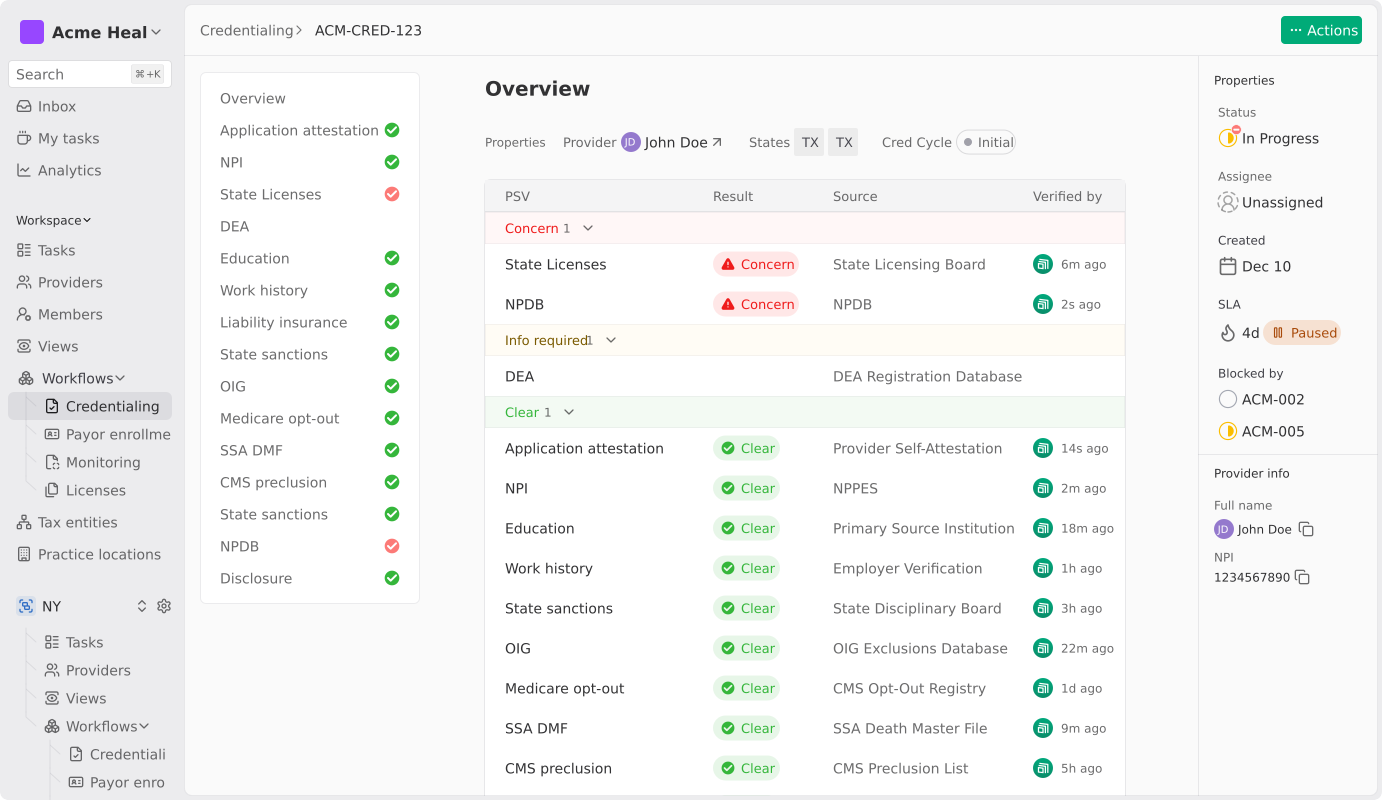
Assured is the platform organizations bring in when QGenda's credentialing module hits its ceiling. We do not compete with QGenda on scheduling. We replace the credentialing, payer enrollment, and licensing work that QGenda treats as a side workflow.
Enterprise health systems like Houston Methodist, multi-entity provider groups, and growth-stage digital health teams move to Assured for one of three reasons. Enrollment volume has outgrown the QGenda add-on.
Multi-state expansion has created a licensing workload that no add-on can keep up with. Or a payer audit has exposed gaps that scheduling-first software was never designed to close.
Take Tono Health, a virtual dermatology practice operating across 31 states. After two years with a prior credentialing vendor that returned zero completions, the team switched to Assured. The first batch of 60 enrollments returned 50 approvals on the first pass, with the remaining 10 delayed due to closed-panel status. Bryson Tombridge, Tono’s CEO and co-founder, rates the experience a 10 out of 10.
That kind of execution is the gap QGenda's add-on does not close. If credentialing and payer enrollment are the real bottleneck, this is where Assured earns its place on this list.
Key Features
- 48-hour credentialing SLA: The industry average runs 60 to 120 days. Assured does it in 48 hours.
- NCQA-certified CVO: Certified across all 11 verification elements, built for health systems that need delegation-ready credentialing.
- Full payer enrollment: Submissions, follow-ups, denials, and date tracking are all handled, with nothing falling through the cracks.
- Multi-state licensing: All 50 states covered, with IMLC, DEA/CSR, and FCVS coordination built in.
- Continuous network monitoring: Sanctions flagged within 24 hours, pulling from 2,000+ primary sources.
Pros
- Credentialing, enrollment, and licensing run as one connected workflow rather than three disconnected tools
- Pre-submission validation catches data mismatches, closed panels, and missing documents before the application reaches the payer
- Named credentialing, enrollment, and licensing specialists respond in under 24 hours, not through a pooled help desk
- Usage-based pricing scales with provider volume, with no scheduling bundle attached
- Built for enterprise scale across multi-state, multi-payer, and multi-entity operations
Cons
- Best suited when credentialing or payer enrollment is the actual gap, so scheduling-first evaluations should look elsewhere
Pricing
Usage-based, aligned to provider volume.
2. Lightning Bolt (PerfectServe)
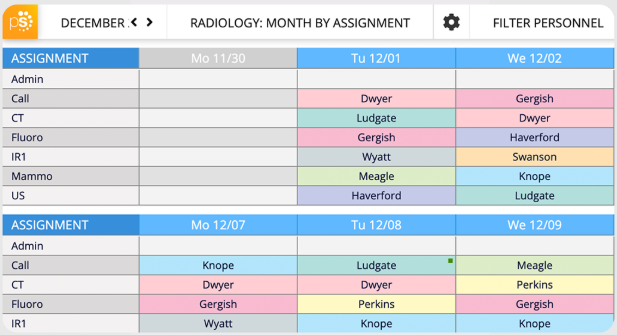
Lightning Bolt, with five Best in KLAS awards, stands out in physician scheduling. Its scheduling algorithm finds the best possible schedule rather than applying rules one by one. This means fewer gaps and less manual cleanup, especially in complex specialties.
PerfectServe's published outcomes report up to 82% reduction in schedule creation time. UK HealthCare's hospitalist group has cut scheduling effort from roughly 1,480 hours per year to 260 after switching.
Scheduling data flows directly into PerfectServe's on-call routing and clinical communication, which is the main pull for hospitals that want one stack for both.
Key Features
- Combinatorial optimization: Weighs every rule and preference simultaneously to automatically build the best possible schedule.
- Custom rules at depth: Configure scheduling requirements exactly the way your group operates.
- Communication integration: Schedule data flows to integrate directly with PerfectServe's messaging and on-call routing.
- EHR and payroll integrations: Connects to the major systems you're already running.
- Mobile app: View schedules, swap shifts, and request PTO from anywhere.
Pros
- The optimization engine produces measurably better schedules for groups with complex multi-tier coverage rules
- Schedule changes propagate directly into on-call routing without manual handoffs
- Configuration depth lets specialty groups model unusual coverage requirements without workarounds
Cons
- The optimization engine requires upfront configuration that smaller teams may struggle to staff
- Enterprise pricing and architecture make Lightning Bolt heavier than smaller practices typically need
- Some interface views constrain full-month visibility, flagged as workflow friction
Pricing
Custom enterprise pricing on request.
3. Doximity
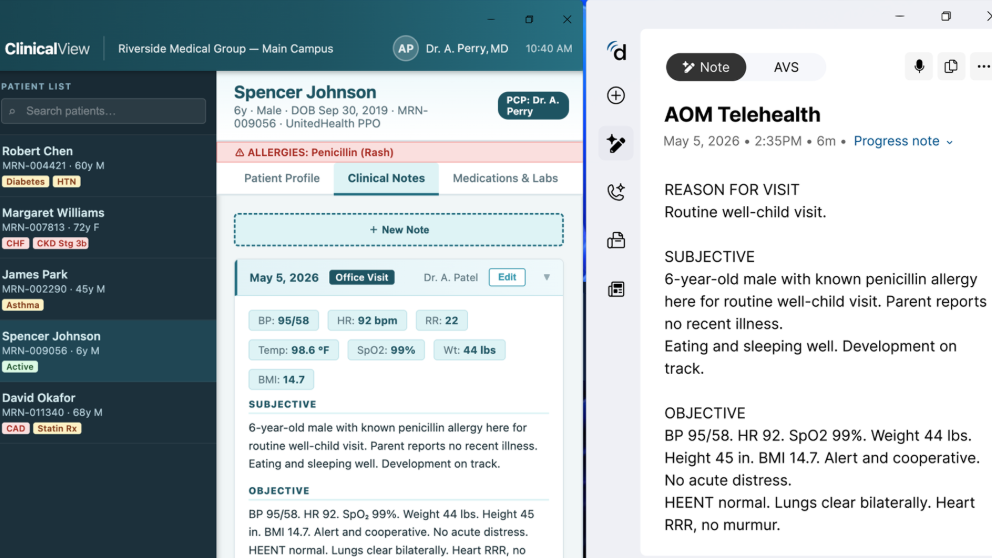
Amion has been a fixture in physician scheduling for over two decades, and Doximity acquired it in 2024. The platform handles on-call scheduling, rotation building, shift swaps, and schedule sharing at a starting price that sits orders of magnitude below QGenda's enterprise model.
The Doximity acquisition layered professional network reach onto an already long-tenured scheduling product, opening recruitment and provider directory adjacencies that pure scheduling tools can't match.
The fit with QGenda is essentially cost-plus simplicity. Residency programs, small specialty groups, and solo practices find QGenda's enterprise architecture heavier than the scheduling problem they actually have.
Key Features
- On-call scheduling: Build and manage rotations with ready-to-use templates.
- Shift swaps and time-off requests: Providers handle it themselves, no back-and-forth needed.
- Mobile access: Schedules and provider contact details, all in the app.
- Schedule sharing: Share schedules instantly via public links, no login required.
- Doximity integration: Ties directly into the largest verified physician network in the U.S.
Pros
- Pricing puts it within reach for practices that cannot justify enterprise scheduling spend
- Two decades of use across small hospitals and practices means the workflows are mature and well understood
- Doximity integration adds professional network reach that standalone scheduling tools cannot match
Cons
- Browser-based interface reflects its long history and feels dated against newer products
- Capability is intentionally narrow; complex specialty rotations or multi-location coverage outgrow it quickly
- Mobile experience is functional but less polished than modern alternatives
Pricing
Custom.
4. TigerConnect Physician Scheduling
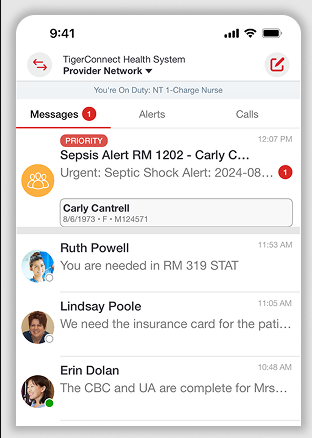
TigerConnect is known first as a clinical communication platform and added physician scheduling through its 2020 acquisition of Adjuvant's Call Scheduler.
The angle that separates TigerConnect from QGenda is the messaging leg. Scheduling sits next to secure messaging, role-based routing, and care team coordination, all under one vendor.
The strongest fits are emergency departments, trauma centers, and hospitalist groups. These are places where knowing who's on call and being able to reach them instantly are equally important. Change a schedule, and the right person gets paged automatically.
Scheduling and messaging still live in separate apps, which users flag as friction that QGenda's scheduling-first experience doesn't have.
Key Features
- Physician and on-call scheduling: Builds and manages schedules with role-based rules and built-in shift swaps.
- Secure clinical messaging: HIPAA-compliant messaging for care teams, no consumer apps needed.
- Role-based routing: Schedule changes automatically reach the right person for the right context.
- EHR integration: Connects to major hospital systems out of the box.
- Mobile access: Full scheduling and messaging on iOS and Android.
Pros
- The scheduling-plus-communication combination addresses a real coordination gap
- Schedule changes automatically trigger the correct page through role-based routing
- Mobile experience holds up well for emergency department and trauma workflows
Cons
- KLAS comments note that scheduling and messaging are housed in separate apps
- Complex specialty schedules reportedly stretch the platform's scheduling capabilities
- Customer support experiences have been described as uneven
Pricing
Custom pricing.
5. Symplr Physician Scheduling
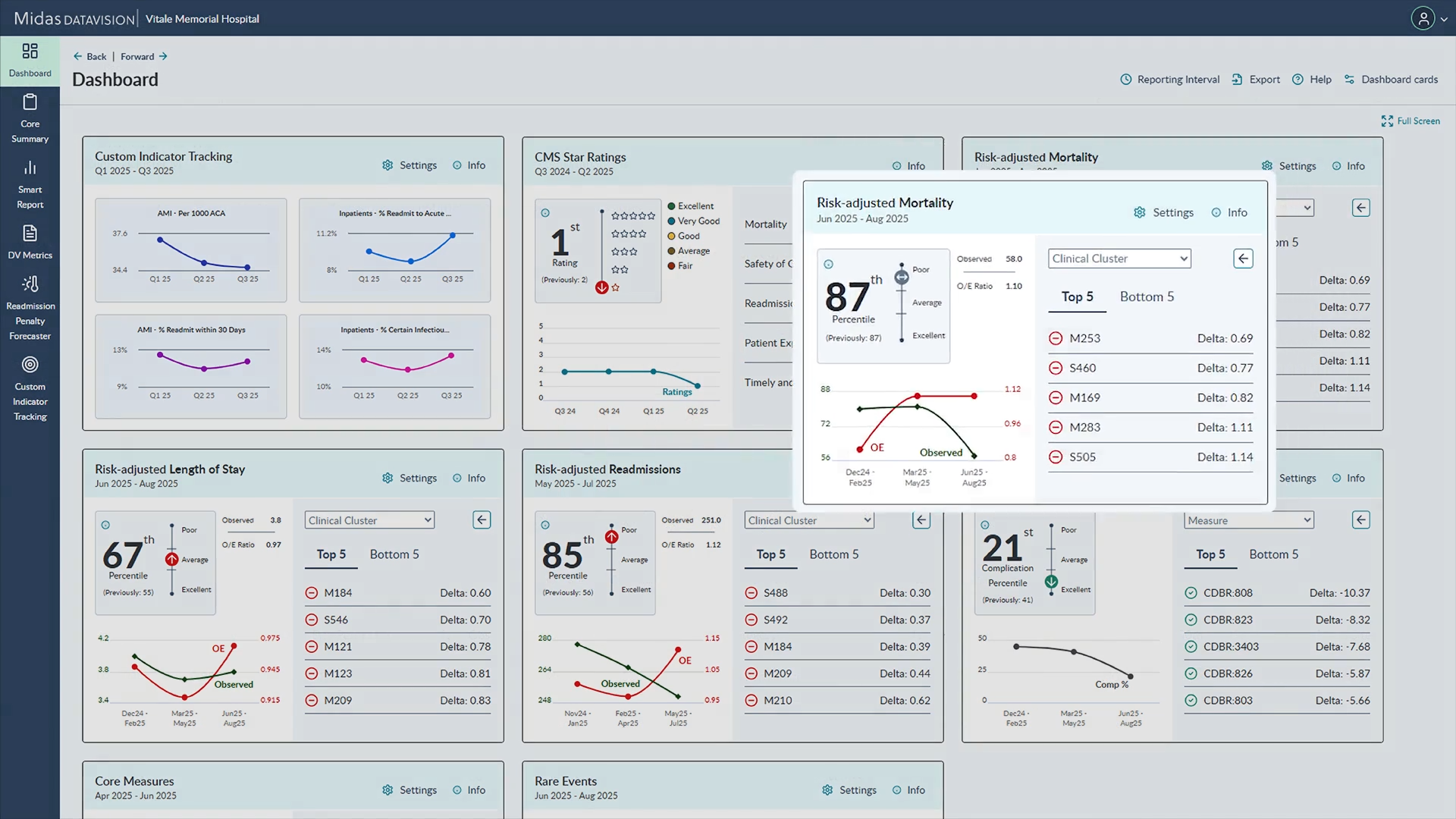
Symplr Physician Scheduling is part of one of the largest healthcare governance, risk, and workforce suites on the market.
Symplr's broader stack covers credentialing, payer enrollment, contracting, talent management, and compliance, with deployment across 9 out of 10 U.S. hospitals.
For enterprise health systems already using Symplr's credentialing or provider data modules, adding scheduling consolidates vendors and enables compliance, credentialing, and scheduling decisions to share data within a single ecosystem.
The pull against QGenda is suite consolidation. Organizations want a single workforce vendor for scheduling and a separate credentialing vendor for everything else.
Key Features
- Customizable scheduling rules: Templates and configurable logic for complex environments.
- Workforce analytics: Reporting tied to scheduling and time tracking.
- Payroll and EHR integration: Connects within the Symplr ecosystem.
- Time tracking: Native integration with scheduled shifts.
- Workforce compliance: Scheduling tied to credentialing and compliance data.
Pros
- Suite consolidation across credentialing, compliance, scheduling, and workforce reduces vendor sprawl for enterprise hospital IT
- Customizable workflows can flex for complex environments that simpler tools cannot handle
- Integration with the Symplr stack means scheduling decisions are contextually aware of credentialing and compliance
Cons
- Interface and learning curve are heavier than competing scheduling-first products
- Capability often exceeds what smaller practices need, with cost to match
- Published KLAS commentary cites timely support response as a recurring concern
Pricing
Custom enterprise.
6. Petal Health
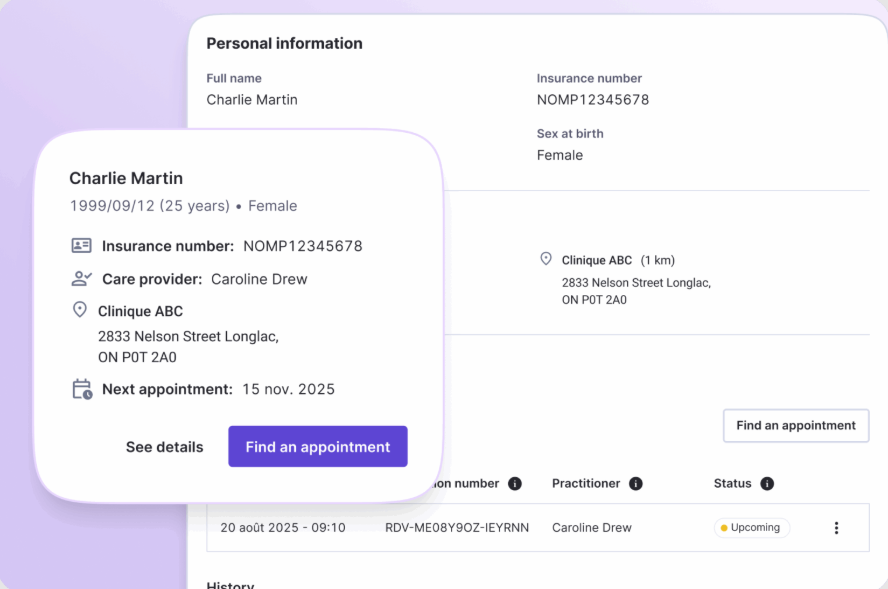
Petal Health is a Canada-headquartered healthcare workforce platform that has steadily expanded its U.S. footprint in recent years. The product leans into AI-driven scheduling, integrated on-call workflows, and capacity insights, with modular deployment.
Petal's self-reported 98% reduction in schedule creation time resonates with coordinators who have spent years manually cleaning up output.
For organizations prioritizing AI-first scheduling, this platform is an ideal match—particularly in emergency departments, anesthesiology groups, and hospitalist programs, where high shift volumes and intricate rules benefit most from optimization.
Key Features
- AI-driven automated scheduling: Optimizes complex provider rules without manual cleanup.
- On-call management: Live provider access that updates automatically with schedule changes.
- Secure clinical communication: Native messaging tied directly to scheduling data.
- Capacity insights: Real-time reporting on supply and demand across departments.
- Modular deployment: Start with one product; there's no need to buy the full suite.
Pros
- AI-driven scheduling reduces manual cleanup
- Modular adoption lets organizations deploy one capability without the full platform footprint
- The integrated clinical communication keeps scheduling and messaging together
Cons
- U.S. customer footprint is smaller than QGenda, Lightning Bolt, or Symplr, affecting peer reference depth
- Pricing is custom and not publicly published
- Enterprise integrations with U.S. EHRs and payroll systems are less developed
Pricing
Custom pricing.
How We Evaluated These Alternatives
We evaluated every platform against six criteria. They actually drive the buying decision and aren’t just a feature checklist:
- Scheduling depth and algorithm quality: Does the platform generate a usable schedule out of the box, or does someone have to fix it every time it runs?
- Integration ecosystem: Does it connect natively with your EHR, payroll, and clinical communication tools? Do schedule changes actually show up downstream in real time?
- Support model: Do you get a dedicated contact who knows your setup, or are you emailing a help desk and starting from scratch every time?
- Pricing structure: Is pricing published, or do you have to sit through a demo to get a number? And does the contract make you pay for modules you don't need?
- Provider operations capability: Can the platform handle credentialing, enrollment, and licensing, or is it scheduling-first with everything else bolted on? For organizations running delegated credentialing, NCQA CVO certification across all 11 elements was the baseline we looked for.
- Scale fit: Whether the platform is engineered for enterprise hospitals, mid-market provider groups, or smaller practices, and how pricing tracks scale.
If a platform couldn't answer these questions clearly, it didn't make the list.
How to Choose the Right QGenda Alternative
The right alternative depends on which part of the QGenda footprint is actually breaking. Here are five questions worth thinking through:
- What is the actual bottleneck, scheduling or credentialing? The right pick depends on where the pain actually is. If scheduling output is the problem, a purpose-built scheduling tool will help. If credentialing or enrollment is what's breaking down, no amount of scheduling automation will fix it.
- Do you need optimized schedules or just visibility? Optimization differs from rule-based scheduling. The gap appears in specialty groups where rule-based logic leaves coverage gaps.
- How important is EHR, payroll, and communication integration? Scheduling that doesn't sync downstream creates its own set of problems. The real question is whether the platform plays well with the rest of your stack.
- What is your provider count and specialty mix? A platform that handles 50 providers cleanly can stall at 500. Specialty mix matters more than headcount alone.
- Are you also evaluating credentialing depth? Many QGenda evaluations end up touching credentialing because of the add-on. If you need full credentialing, enrollment, and multi-state execution, specialist credentialing tools and provider data platforms are a different evaluation.
Answer these five questions before shortlisting anything. The wrong platform choice can be expensive.
Still on the Fence? Here's How We'd Sum It Up
If you have read this far, the call is usually clearer than the list suggests. Most teams considering QGenda alternatives are not actually seeking a different scheduling product. They are looking for a way out of the credentialing and enrollment gap left by scheduling-first software.
That is where Assured fits.
We credential providers within 48 hours, run full payer enrollment end-to-end, and manage multi-state licensing on a single platform.
Enterprise health systems like Houston Methodist and growth-stage digital health organizations move to Assured when QGenda's credentialing add-on cannot keep pace with their actual provider operations volume.
If pure scheduling depth is the real problem, Lightning Bolt is the strongest direct alternative on this list. If messaging integration matters, TigerConnect and Doximity each take a different angle. None of those tools, QGenda included, go deep enough on credentialing and enrollment for organizations that actually need it.
If credentialing and enrollment are where you are losing time, book a demo to see how Assured replaces that side of QGenda.
1. What is the best alternative to QGenda?
2. How does QGenda pricing compare to alternatives?
3. Does QGenda offer credentialing, and how does it compare to dedicated credentialing platforms?
4. Can I switch from QGenda without losing data?

Assured Health, Inc.
333 Seventh Ave, Suite 1701
New York, NY 10001