

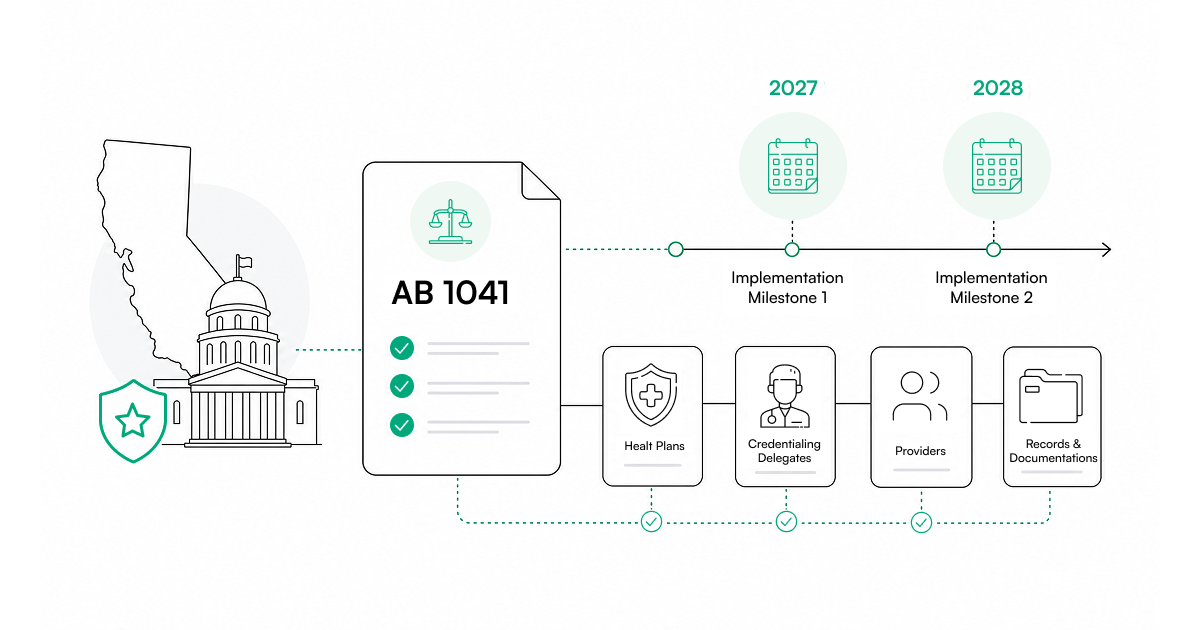
California AB 1041: What Health Plans and Credentialing Delegates Need to Know Before 2027 and 2028

Varun Krishnamurthy
September 28, 2026
Choosing the right healthcare credentialing software comes down to three things: how fast it credentials your providers, how often submissions get approved, and whether it connects credentialing to payer enrollment so providers can start billing sooner.
This guide covers nine criteria to help you choose the best healthcare credentialing software. It also includes a vendor scorecard for side-by-side comparison and the exact questions to ask during every demo.
Who this guide is for: Organizations with 50+ providers, multi-state operations, or five or more payer relationships. Below those thresholds, a credentialing specialist with structured processes may still be sufficient.
When you start researching healthcare credentialing software, most vendors sound the same. They all talk about speed, automation, compliance, and integrations. On the surface, it feels like you are comparing identical products.
But they are not identical.
The real differences only emerge when you start asking very specific questions. Below are the nine criteria and the questions you should ask for each.
Primary source verification (PSV) is the foundation of credentialing. It is the process of verifying a provider's credentials directly from the original issuing sources: state licenses, board certifications, DEA registrations, malpractice history, education, and sanctions databases.
Some platforms verify only a few dozen sources. Others verify more than 2,000. The number matters beyond speed. A platform verifying fewer sources creates gaps in your compliance record. If a provider has a sanction on a state board your platform does not check, you may not learn about it until an audit or an adverse event. More sources means more complete verification, not just faster verification.
Older systems run verifications sequentially: check one source, wait for confirmation, move to the next. That process can take 60 to 90 days. Modern AI-driven platforms query thousands of databases simultaneously. Some complete credentialing in as little as two business days.
For a deeper look at how these approaches compare, see Manual vs. Automated PSV.
Do not accept a vague timeline. How the platform handles verification exceptions tells you a great deal about how it performs under real conditions.
Assured's automated PSV runs across more than 2,000 sources simultaneously. That is how organizations can reduce credentialing timelines from months to days.
First-pass approval rate is the percentage of payer applications approved the first time they are submitted, without requiring corrections or resubmissions.
If the first-pass approval rate is low, applications are returned for correction. Each correction cycle adds three to six weeks to the timeline. Beyond the delay itself, repeated resubmissions signal to payers that your organization lacks administrative rigor, which can affect how quickly future applications are processed.
According to industry research, a single day of credentialing delay costs approximately $9,000 in lost provider revenue. When applications are delayed by several weeks, the losses compound significantly.
Use Assured's Delegated Revenue Calculator to estimate the direct financial impact on your organization.
A vendor with a genuinely high first-pass approval rate answers these questions without hesitation and backs them up with data. High-performing platforms report first-pass approval rates of 80 to 95 percent. If a vendor cannot provide a clear number, treat that as a signal.
For context on what typical timelines look like with specific payers, see Assured's guides on UnitedHealthcare payer enrollment timelines and Blue Cross Blue Shield payer enrollment timelines.
NCQA CVO certification means the vendor's credentialing processes have been independently audited against NCQA standards. It covers:
Do not confuse "NCQA compliant" with NCQA CVO certified. Compliance is self-declared. Certification is independently validated.
When a health plan or accreditation body audits your organization, they will ask how your credentialing processes are validated. A vendor with NCQA CVO certification gives you a defensible, documented answer. A vendor that is merely "compliant" by their own definition gives you nothing to stand behind.
Partial certifications also exist. A vendor may be certified for some elements but not others, which means certain parts of your credentialing workflow remain unaudited. Certifications also lapse, so check the date on any certification they present.
Assured is NCQA CVO certified across all evaluation elements. Read more about how Assured achieved NCQA certification.
Most credentialing software stops once verification is complete. The provider is technically credentialed internally, but not enrolled with payers, which means they cannot bill. For a clear explanation of this distinction, see Provider Credentialing vs. Payer Enrollment.
This gap is where a significant amount of revenue delay lives. A provider can complete credentialing in two days but still wait 60 to 90 days to bill if enrollment is handled separately, manually, or by a different team with no visibility into when credentialing cleared.
The best systems connect credentialing directly to payer enrollment. Once verification is complete, enrollment submissions proceed without delay. This integration reduces administrative lag and shortens the time between hiring a provider and generating revenue.
Continuous monitoring ensures licenses stay current and providers are not flagged on sanctions lists after initial credentialing.
At minimum: OIG and SAM.
More comprehensive monitoring includes:
You can use Assured's free OIG LEIE Verification Tool to run spot checks at any time.
NCQA mandates monthly monitoring of OIG and state sanctions checks as the baseline. Some organizations opt for weekly or real-time monitoring for higher risk protection. The right frequency depends on your risk tolerance and payer contract requirements, but monthly monitoring is the minimum you should accept.
Also evaluate how alerts are delivered. Some systems send generic notifications that require manual investigation. More advanced platforms provide detailed alerts that identify the specific provider, the nature of the issue, and the recommended next step. The difference between a vague alert and an actionable one can mean days of unnecessary delay in resolving a compliance issue.
Integration capability determines whether your credentialing platform works with the systems your team already uses, or creates additional manual work.
Most healthcare groups rely on CAQH ProView, NPPES, PECOS, EMR or EHR systems, and applicant tracking systems. If the credentialing software does not integrate with these, your team will spend time re-entering the same data repeatedly. Every manual re-entry is a potential error and a source of delay.
When evaluating integrations, ask whether they are bidirectional. A one-way pull from CAQH is useful, but a system that also pushes updated verified data back to your source of record is materially more valuable. It keeps your provider data clean across systems without requiring manual reconciliation.
Use Assured's free NPI Lookup Tool and PECOS Lookup to validate provider data before and after onboarding.
Assured connects with ATS platforms, EMRs, and Salesforce through plug-and-play APIs, reducing duplicate data entry across systems.
Implementation speed is the time from signed contract to first credentialing submission.
Legacy enterprise systems can take three to six months to implement. Cloud-native platforms often take days to weeks. The difference in time-to-value is significant when you have providers waiting to be credentialed.
Strong vendors begin by auditing your existing provider data: cleaning CAQH profiles, verifying entity structures, and confirming NPI and tax ID accuracy. This upfront data work is not a formality. Dirty provider data is the most common cause of delayed go-lives and early enrollment rejections. A vendor that skips this step is setting you up for problems downstream.
That last question matters. A vendor can describe their process in any way they choose, but a recent customer can tell you whether it actually happened that way.
See how Birches Health approached onboarding with Assured.
Pricing transparency means the vendor can clearly articulate the full cost of the platform across different provider volumes, with no material costs buried in the fine print.
Most vendors charge on a per-provider basis, but pricing structures vary. Some vendors charge separately for enrollment, monitoring, or premium support, which means the per-provider rate in a proposal is not the all-in cost. Pricing opacity is not just a purchasing inconvenience. It is often a sign that the total cost will exceed what was discussed during the sales process.
For a fuller picture of what credentialing actually costs, including hidden operational costs beyond software, see The True Cost of Credentialing a Healthcare Provider.
A platform that requires separate accounts per state is not just inconvenient. It fragments your provider data, complicates reporting, and creates compliance blind spots.
Post-signature support is the level of service, access, and expertise your team receives after the contract is signed and onboarding is complete.
Some vendors provide strong attention during implementation and reduce responsiveness once you are live. The credentialing issues that arise after go-live, including unexpected payer rejections, monitoring alerts that need interpretation, and recredentialing deadlines approaching, are exactly the moments when you need an experienced specialist, not a ticket queue.
Ask for the name and background of the person who would be assigned to your account. If the vendor cannot answer that question during the sales process, it usually means dedicated support is not actually part of their model.
Assured guarantees a dedicated credentialing specialist for every customer, with under-24-hour response times.
Use this scorecard during demos and reference calls to compare vendors on substance rather than sales presentation.
| Score | Meaning |
|---|---|
| 5 | Clear, specific answer with strong proof and real examples |
| 3 | Acceptable, but vague in some areas |
| 1 | Avoided the question or could not provide numbers |
| Criterion | Weight | Vendor A | Vendor B | Vendor C |
|---|
How many primary sources are verified? Are checks run in parallel or sequentially? Did the vendor give you a specific average turnaround time, or just a broad range? Did they explain what happens when a source does not respond, and how exceptions are handled? A vendor with genuine depth in PSV can answer all of these without hesitation.
Did they provide a real percentage, or a range that could mean anything? Did they break it down by major commercial payers? Did they explain what drives their approval rate? If they avoided giving specific numbers, that should significantly lower the score.
Are they fully NCQA CVO certified, or partially? Which credentialing elements does the certification cover? Is their monitoring aligned with the 2025 requirements? Ask for their most recent NCQA certification letter and note the date. Certifications lapse, and an expired certification offers no protection.
Does enrollment begin immediately after credentialing clears, or does it require a manual handoff? Can they generate payer-specific roster files? Is enrollment status tracking real-time and visible to your team? The strength of this integration is often what separates fast revenue activation from slow.
What sources are monitored? Is coverage limited to OIG and SAM, or does it extend to state license boards, NPDB, DEA, Medicare, and OFAC? How often do checks run? Are alerts specific and actionable, or generic and vague? Ask for a sample alert so you can evaluate what your team would actually receive.
Do they connect directly with CAQH, NPPES, PECOS, EMRs, and ATS systems? Are integrations bidirectional or one-directional pulls only? Is there a documented API for custom integrations? Weak integrations mean your team absorbs the manual data entry burden the platform was supposed to eliminate.
How long does it realistically take to go live? Can they onboard large provider groups quickly? Did a recent customer confirm the timeline the vendor described? Vendors that have onboarded organizations similar to yours in the last six months are a more reliable signal than general claims.
Is pricing clearly defined at multiple volume levels? Are enrollment, monitoring, and support included or billed separately? Did they provide a fully loaded cost, not just the base per-provider rate? Pricing opacity is often a sign the total cost will exceed what was discussed during the sales process.
Do you get a dedicated specialist or a shared queue? Is there a guaranteed response time with an SLA in writing? Did references speak positively about support quality six or more months after go-live, not just during onboarding? Support quality is one of the hardest things to assess during a sales process and one of the most important things to get right.
Pay close attention to the high-weight categories. A vendor that scores poorly on first-pass approval rate or credentialing-to-enrollment integration will affect your revenue and compliance more than a slightly slower implementation timeline. Weight accordingly.
Your goal is to choose the platform that consistently scores high in the areas that directly affect revenue, compliance, and operational efficiency.
Most vendors highlight their strengths during the evaluation process. That is expected. But just as important as what they say is what they avoid saying.
If you ask how long credentialing takes and the answer is "it depends" or "usually between 30 and 90 days," that is not a real answer.
Vendors who track their performance know their average completion time and first-pass approval rate, and can break both down by payer. These are not hard numbers to produce if a platform is performing well. If a vendor cannot provide specific metrics, the most likely explanation is that the numbers are not competitive enough to share.
Push for specifics. If the vendor continues to deflect, score them accordingly on the scorecard.
If you hear that pricing is only valid until Friday, take a step back.
Healthcare credentialing software is a long-term operational partnership that will affect how your providers get paid and how your organization manages compliance. A vendor confident in their product does not need to manufacture urgency. You need adequate time to evaluate compliance requirements, integration compatibility, and internal workflows before committing. Any vendor that pressures you to skip that process is not acting in your interest.
During the sales process, you may speak with senior leaders who respond quickly and schedule easily. That level of access often does not survive the transition from prospect to customer.
Before signing, ask directly who will support you after go-live, whether that person is a dedicated specialist, what the guaranteed response time is, and whether the SLA is written into the contract. If support expectations are not clearly defined in writing, assume they will change. Verbal commitments made during a sales process are not enforceable.
If a vendor does not hold NCQA CVO certification or another form of independent compliance audit, you are relying entirely on their internal claims about process quality.
This matters during audits. If a payer or accreditation body reviews your credentialing program and asks how your processes are validated, "we use a software tool that says it is compliant" is not a defensible answer. Independent certification gives you documented evidence that stands up to scrutiny.
If handling multiple states requires setting up separate accounts or heavy manual configuration every time you expand, the platform was likely built for single-state use and retrofitted to handle more.
Ask how multi-state operations work in practice, not how they are described in a demo. Ask for a reference from a customer currently operating in five or more states. A platform built for modern healthcare groups should handle multi-state licensing, credentialing, and enrollment natively within one unified system, with a single view of every provider regardless of where they practice.
Assured is an NCQA-certified CVO covering the full provider lifecycle: licensing, credentialing, payer enrollment, and ongoing monitoring. Average credentialing is completed in two business days, with a 95 percent first-pass approval rate.
Do not accept a broad range. Ask for an actual average, then ask what the fastest and slowest completions looked like in the last 90 days. Understanding the variance tells you as much as the average does.
Ask specifically about UnitedHealthcare, Aetna, Cigna, and Blue Cross Blue Shield. A high first-pass rate means fewer corrections and fewer delays. If the vendor gives you an overall average but resists breaking it down by payer, ask why.
Some platforms verify only basic sources. Others check thousands of databases simultaneously. The depth of verification affects both compliance strength and completion speed. Ask specifically whether verification runs in parallel or sequentially, and ask for documentation on which sources are covered.
Certification should not be vague. Ask whether their audit covers licensure, education, DEA, board certification, malpractice, sanctions, and work history. Request a copy of their most recent certification letter, and note when it was issued.
Verification alone does not generate revenue. If enrollment is handled separately, ask who manages it, how the handoff works, and how long the gap typically is between credentialing completion and first enrollment submission. That gap is where revenue delay accumulates.
Each payer has its own submission structure. Manual formatting introduces errors and delays. See How to Submit Provider Rosters to Payers for a breakdown of what this involves. Ask the vendor to show you a sample roster file for a major payer during the demo.
At minimum, OIG and SAM should be monitored monthly. Ask whether state license boards, NPDB, DEA, Medicare, and other databases are included, and whether monitoring runs monthly, weekly, or continuously. Ask to see a sample alert so you can evaluate the level of detail your team would actually receive.
Some payers restrict new enrollments in certain markets. A vendor that understands panel dynamics can help you avoid submitting to closed panels, which wastes time and can create an unfavorable record with that payer. Ask whether they track panel status by payer and market, and how current that information is.
A dedicated specialist understands your organization, your provider roster, and your payer relationships. They resolve issues faster because they already have context. Ask for the name and background of the person who would be assigned to your account.
Under 24 hours should be the benchmark for standard inquiries. Ask separately what the response time is for urgent issues such as a failed enrollment submission or a monitoring alert on an active provider.
Some platforms take months to go live. Others begin submitting within weeks. Ask for a realistic timeline based on your provider volume, and ask what typically causes implementations to run long. The answer will tell you where the risk is.
Customers who have been live for over a year provide insight into long-term performance: whether support quality held up, whether the platform scaled as the organization grew, and whether the results matched what was promised during the sales process. Onboarding references tell you about the first 90 days. Tenured references tell you about everything after.
Start by defining your requirements: provider count, states operated in, number of payer relationships, and whether you need credentialing only or the full lifecycle through enrollment and ongoing monitoring.
Organizations with multi-state operations or high provider volume have different needs than smaller single-state groups, and the platforms that serve them best are not always the same. Once requirements are clear, evaluate vendors on the nine criteria above using a weighted scorecard so you are comparing on substance rather than sales presentation.
The differentiating features are automated PSV across hundreds or thousands of sources, NCQA-compliant workflows, committee-ready packet generation, payer enrollment connectivity, real-time monitoring against OIG, SAM, NPDB, and state boards, and documented APIs for integration.
Document storage and provider profiles are standard across most platforms and should not drive your decision. The features that drive outcomes are the ones tied to speed, accuracy, and compliance coverage.
Evaluate execution over feature lists. A vendor can describe capabilities in any way they choose during a demo. What you need to verify is average credentialing completion time, first-pass approval rate, NCQA certification status, and how references describe their actual experience.
Then assess the support model carefully. A dedicated representative with a documented SLA is a fundamentally different experience than a shared ticket queue, and that difference becomes most apparent exactly when you need help most.
See In-House vs. Outsourced Credentialing if you are still deciding between a platform and a managed service.
Per-provider monthly pricing is standard, but the base rate is rarely the whole picture. Enrollment, monitoring, and support are often billed separately, so always request a fully loaded cost before comparing vendors.
The more useful frame is return on delay avoided. Each day of credentialing delay costs roughly $9,000 in lost provider revenue. A platform that costs more per provider but credentials 30 days faster and maintains a 90 percent first-pass rate will outperform a cheaper platform with slower timelines and frequent rejections.
See The True Cost of Credentialing a Healthcare Provider for a full cost breakdown.
Credentialing software is a tool your team operates internally. Your staff manages the workflow, interprets exceptions, and handles follow-up.
A CVO performs credentialing on your behalf using certified processes and trained specialists, so the operational burden sits with the vendor rather than your team. Some vendors offer both models.
NCQA CVO certification means the vendor's verification processes have been independently audited to the highest industry standard, which matters whether you are using the software internally or relying on managed services. Assured is NCQA CVO certified and offers both the platform and managed services.
Yes, and the quality of recredentialing support varies significantly across platforms.
Look for automated recredentialing cycles every three years per provider, with proactive reminders starting 90 days out so your team is never caught managing an urgent deadline. Pre-populated applications drawn from existing verified data reduce the administrative burden on both your staff and your providers. Continuous expiration tracking for licenses, DEA registrations, and board certifications ensures you are not relying on manual calendars or provider self-reporting to catch upcoming expirations.
See Recredentialing Requirements for a detailed overview of what a complete recredentialing program should include.

Assured Health, Inc.
333 Seventh Ave, Suite 1701
New York, NY 10001



.svg)